CTR gapHigh impact
Stable impressions, weaker clicks
Five pages kept their visibility but lost click-through rate after search-result changes.
Keep your Search Console history, see the evidence behind every change, and know which pages to fix first.
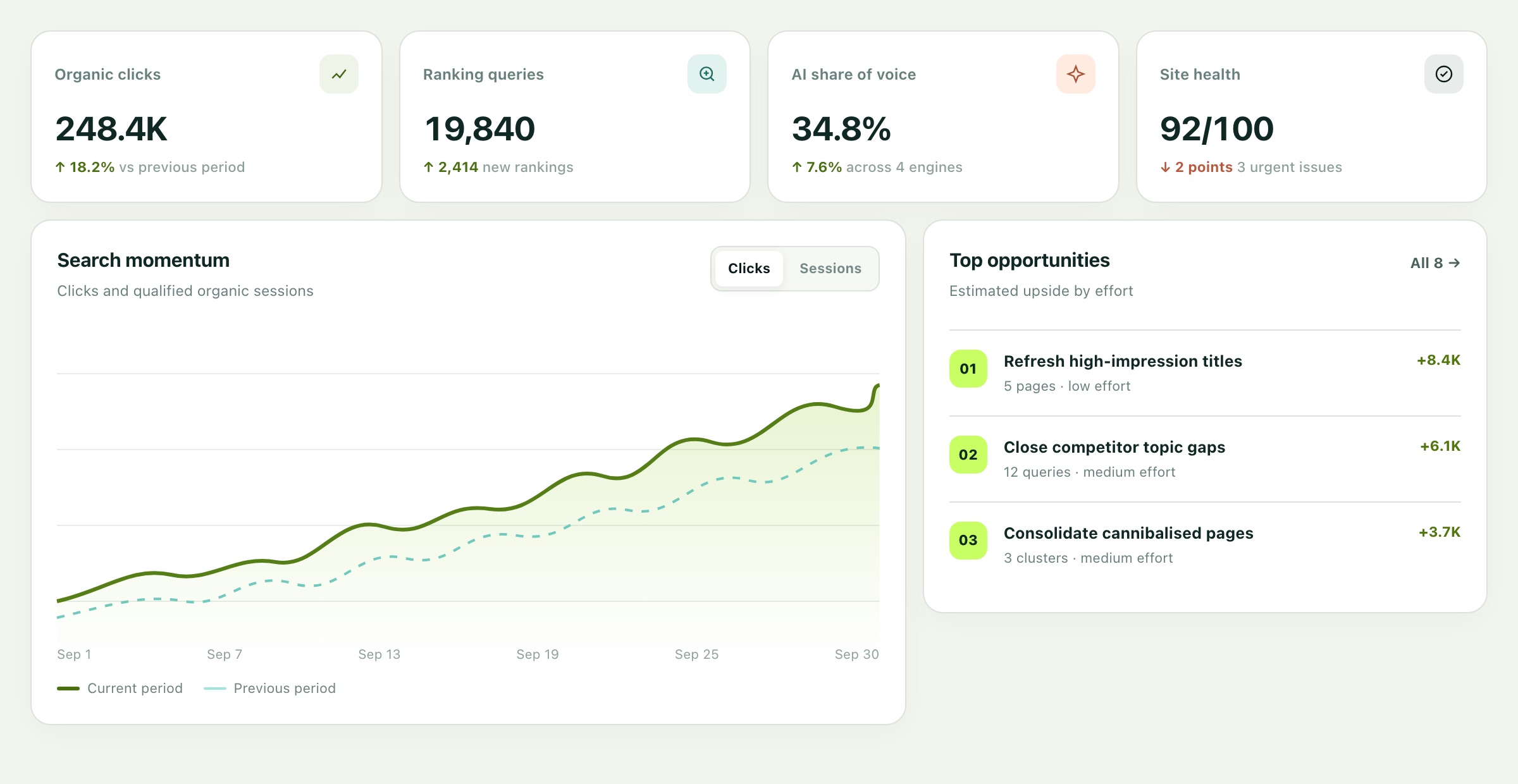
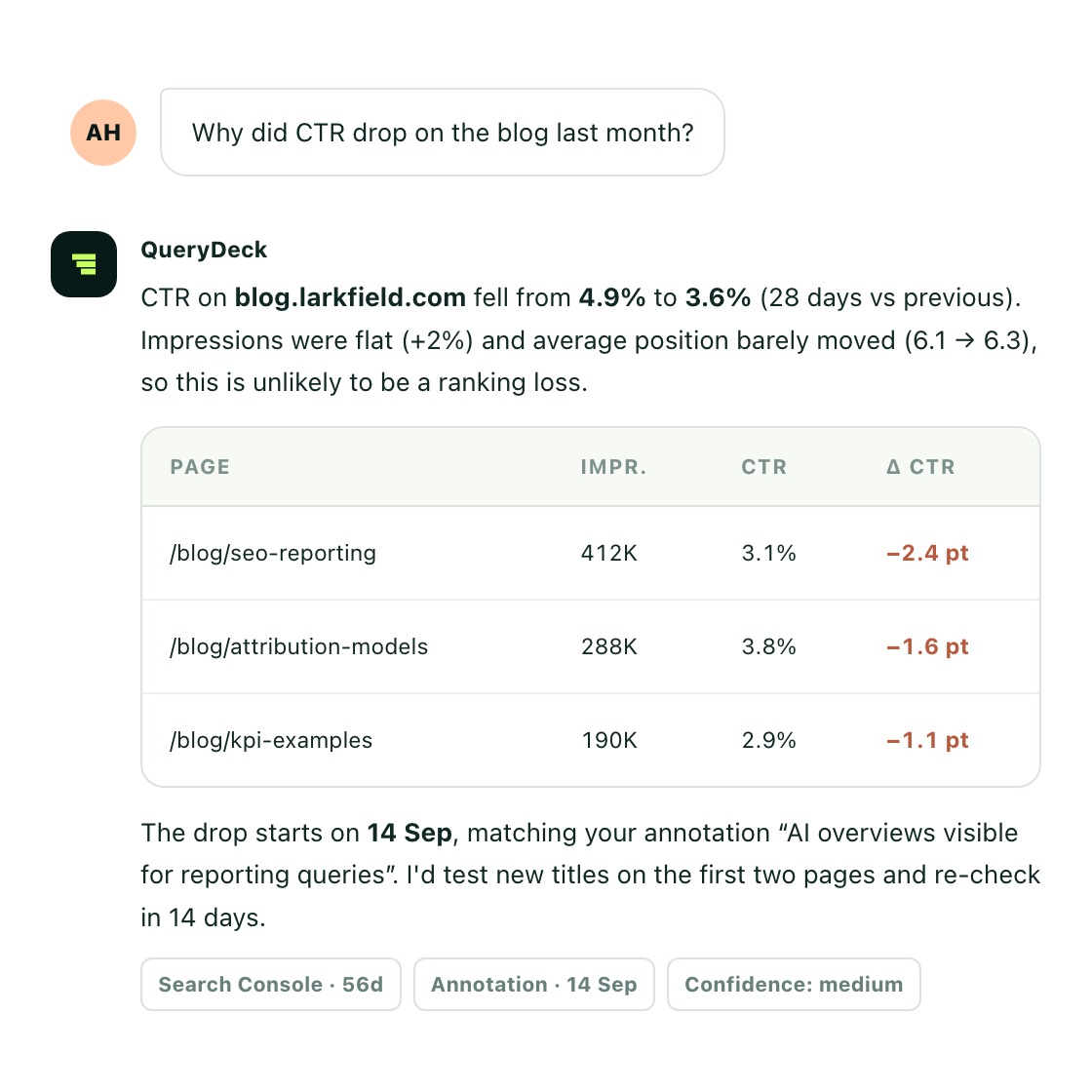
Change the property, comparison window, and workspace view. The sample data below shows how QueryDeck keeps performance, evidence, and decisions in one place.
Five pages kept their visibility but lost click-through rate after search-result changes.
Commercial pages slipped after competing guides were refreshed.
The landing pages already rank on page two and show consistent demand.
Rankings rotate between similar guides, splitting clicks and authority.
| Page | Clicks | Change | Top signal |
|---|---|---|---|
| /guides/product-analytics | 41.8K | +24.6% | Growing query cluster |
| /blog/seo-reporting | 28.1K | −10.2% | CTR decline |
| /compare/platforms | 19.7K | +17.8% | New top-ten terms |
| /features/dashboards | 14.2K | −4.1% | Position loss |
Each opportunity is ranked by impact, confidence and effort. Filter the sample deck and open the evidence behind any card.
Five pages kept their visibility but lost click-through rate after search-result changes.
High impactCommercial pages slipped after competing guides were refreshed.
Review nowThe landing pages already rank on page two and show consistent demand.
Growth pocketRankings rotate between similar guides, splitting clicks and authority.
InvestigateSix new terms reached page one after the latest product update.
WatchThe head term is stable, but 43 supporting queries have weakened.
Plan refreshBuilt for agency and in-house teams that need one dependable record across one site or many.
Authorise a Search Console property and see exactly which dates and dimensions QueryDeck can import.
Preserve performance history and put migrations, releases and content changes on the same timeline.
Open the pages and queries behind each signal, save the analysis, and export a client-ready finding.
QueryDeck should help your team decide. It should never ask you to trust a black box.
More on data, billing and security in the help centre.
The planned private beta focuses on Google Search Console connection and history, page and query analysis, comparisons, annotations, prioritised opportunities, exports, and multi-property workspaces. Other data sources and AI-assisted workflows are planned after the core data experience is validated.
No. QueryDeck can import what Google makes available when a property is connected, then preserve supported history going forward. It cannot recreate data that was already unavailable before connection.
No. QueryDeck provides evidence and decision support. Search results change independently, so people remain responsible for reviewing and approving every action.
Yes. QueryDeck is designed around isolated properties, repeatable analysis, team roles, and exports. That helps when an agency needs a consistent workflow across multiple authorised client sites.
Connect a property in two minutes, or map out your first workspace with the rollout planner.